Search the Community
Showing results for tags 'mercury'.
Found 6 results
-
 February 1, 2024 - The Nathair Facula Topography and Photometric cube data provided by J.R. Weirich, D.L. Domingue, E.E. Palmer, and R.W. Gaskell., and funded by the NASA Solar System Workings Program (SSW) have been loaded into ODE. Please see below links for more information https://pds-geosciences.wustl.edu/missions/messenger/domingue.htm ODE product search page: https://ode.rsl.wustl.edu/mercury/productsearch ODE map search page: https://ode.rsl.wustl.edu/mercury/mapsearch ODE data holdings page: https://ode.rsl.wustl.edu/odeholdings/Mercury_holdings.html
 -
September 22, 2022 The migrated MESSENGER Radio Science raw data (PDS4) have been added into ODE. The RS raw data bundle is a migration of data from the original PDS3 archive with minor improvements and corrections. The migration complete at the PDS Planetary Plasma Interactions (PPI) Node. Please see the PPI Node web for more information. ODE product search page: https://ode.rsl.wustl.edu/mercury/productsearch https://ode.rsl.wustl.edu/Venus/productsearch ODE data holdings page: https://ode.rsl.wustl.edu/odeholdings/Mercury_holdings.html https://ode.rsl.wustl.edu/odeholdings/Venus_holdings.html
-
August 31, 2021 A new Mercury SHBDR gravity model derived from MESSENGER radio science data has been added into ODE. Please see below links for more information. https://pds-geosciences.wustl.edu/messenger/mess-h-rss_mla-5-sdp-v1/messrs_1001/readme.txt ODE Mercury Holdings - https://wufs.wustl.edu/ode/odeholdings/Mercury_holdings.html
-
February 19, 2020 A new Mercury SHBDR gravity model derived from MESSENGER radio science data are loaded into ODE. Please see below links for more information. https://pds-geosciences.wustl.edu/missions/messenger/rs.htm ODE Mercury Holdings - https://wufs.wustl.edu/ode/odeholdings/Mercury_holdings.html
-
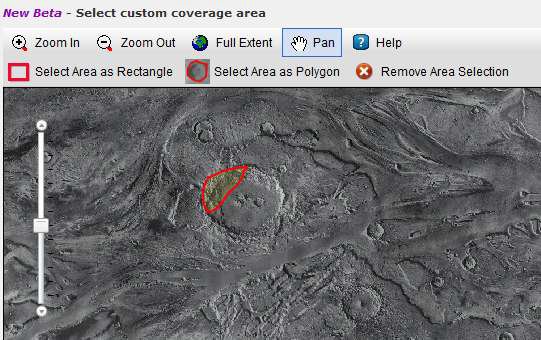
New functionality has been added to the ODE product search page to allow users to select a freehand polygon location for coverage searches. Similar freehand polygon search filtering has been added to the map search page. Mars ODE Product Search - https://ode.rsl.wustl.edu/mars/indexProductSearch.aspx Mercury ODE Product Search - https://ode.rsl.wustl.edu/mercury/indexProductSearch.aspx Lunar ODE Product Search - https://ode.rsl.wustl.edu/moon/indexProductSearch.aspx Venus ODE Product Search - https://ode.rsl.wustl.edu/venus/indexProductSearch.aspx
-
The Mercury Space Weathering Maps bundle is released. This bundle is composed of 6 space weathering maps representing the abundance in weight percent of four different particle types, derived using the radiative transfer model with the VIRS data from the MESSENGER mission. The maps were generated by David Trang, University of Hawaii, and funded by the NASA Discovery Data Analysis Program (DDAP).